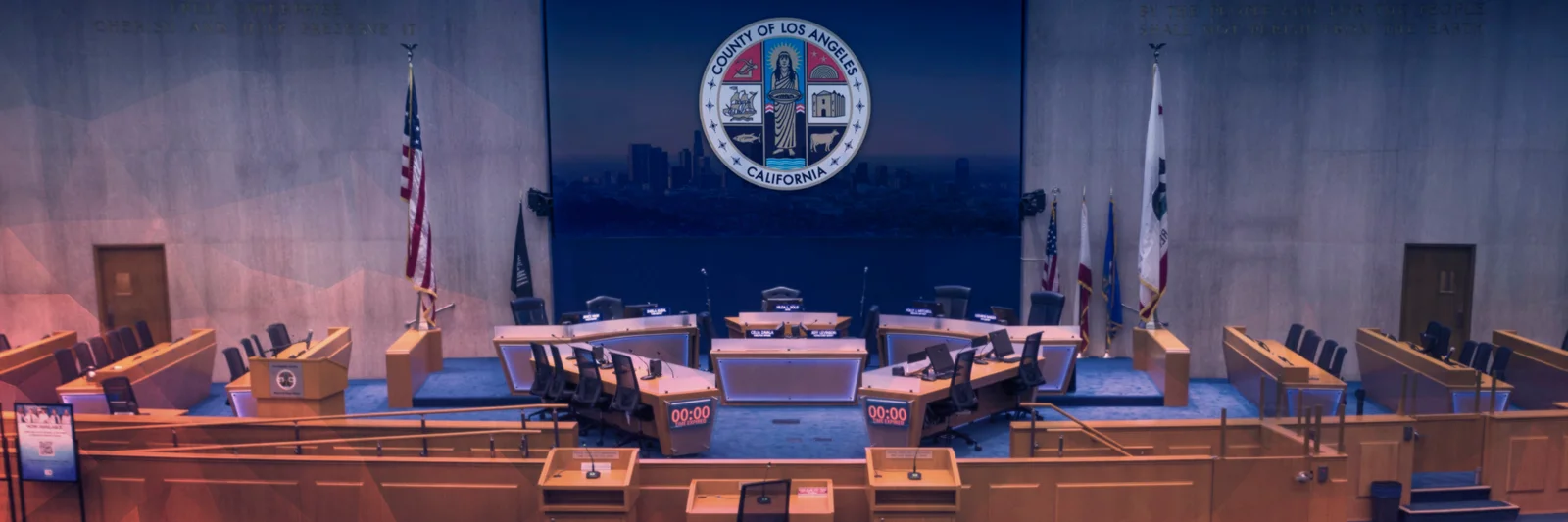
Board Room Meeting
Sign up to speak in person
To address the Board in person, sign up from your phone or use the kiosks located in the lobby or the back of the boardroom. You can view the current agenda to review the agenda items for today's meeting.
Sign up:
- Enter your name.
- Drag the agenda number to your chosen position.
- Verify your entry & submit.
Include your cell number with your speaking request and select the option to receive a text message when your item begins.
Providing Comments:
- When your name is called and displayed on the screen, contact staff at the front of the room.
- When it is your turn to speak, introduce yourself by clearly stating your name.
- When beginning comments, state which items you will speak about so that your time will be properly allotted.
- If you have documents to share with the Board, hand them to a staff member.
You may also submit written public comments online here.
Board Room Rules
No eating or drinking in the auditorium.
Silence your devices. Keep noise level down.
No clapping or disruptive behavior. Anyone who is disruptive may be asked to leave the meeting.
It’s your time. No yielding time to other speakers.
Accessibility
A Spanish interpreter can assist with your public comment.
Un traductor está disponible para comentarios públicos.
ADA Seating available.
Go to the front of the Board room, or ask a staff member for assistance.
Accessible restrooms in the entrance lobby.
Baños accesibles en el lobby del tercer piso.
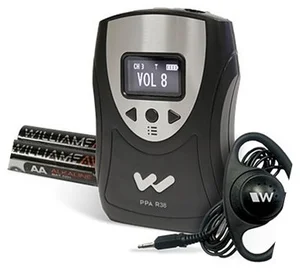
Spanish Interpretation | Interpretación Española
Live Spanish interpretation is available. Translation Devices are available at no cost upon request. Identification is required and will be held while the device is used. Please have your photo ID ready to receive a device. See County Staff for assistance.
La interpretación en vivo está disponible durante la reunión. Dispositivos de traducción disponsibles aquí. Se requiere una identification para un dispositivo de traduccion. Por favor tenga su idenfitication con foto lista para recibir un dispositivo. Consulte al personal del condado en la parte trasera del auditorio para obtener ayuda.
Meeting Order
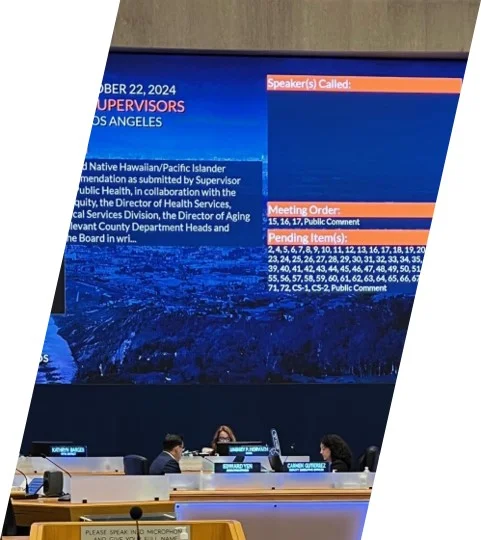
The order of the agenda is presented on the screen. This will help you understand what items will soon be discussed.
As items are discussed, the current Agenda item will appear on the screen as well.
General Public Comments are held at the end of the meeting.
Consent Calendar
- Most of the Board's agenda is a consent calendar.
- All items on the consent calendar may be approved by one motion unless held for discussion by a Supervisor.
- Items requested to be held for discussion or continued to a future meeting will be announced during the reading of the agenda.
- The remaining items will be approved after public comment has been heard.
Opportunities to Comment
- Consent Calendar: Items not held for discussion.
- Held Items: Items held by the Board for discussion.
- Closed Session Matters: Topics discussed in private chambers due to legal requirements.
- General Public Comments: Topics not on the agenda.
- Public Hearing Items: Items that legally require a formal proceeding to receive public testimony.
Public Comment Time
- Consent Calendar: 1 minute
- Held Item: 1 minute
- Closed Session Matters: 1 minute
- General Public Comment: 1 minute
- Public Hearing Item: 1 minute
Time allotted may change at the Chair’s discretion. Speakers may be allowed to speak up to 6 minutes each meeting.
Emergency Preparedness
In the event of an emergency:
In case of a fire, civil disturbances, or criminal activity, please follow instructions from security and County personnel.
After an earthquake, wait until the shaking finishes before moving from cover. County Staff will advise if/when it is safe to evacuate.
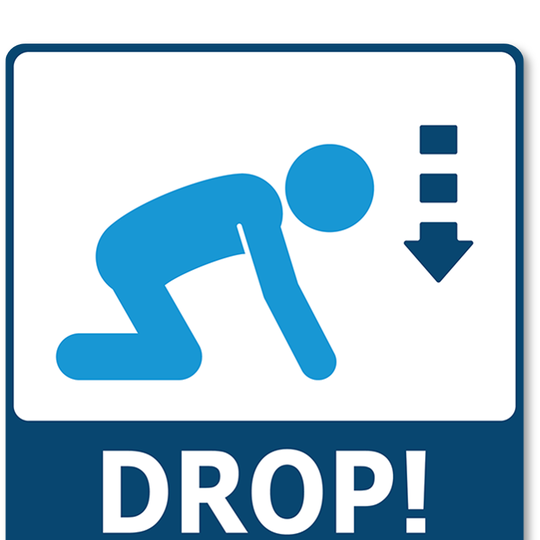
DROP!

COVER!
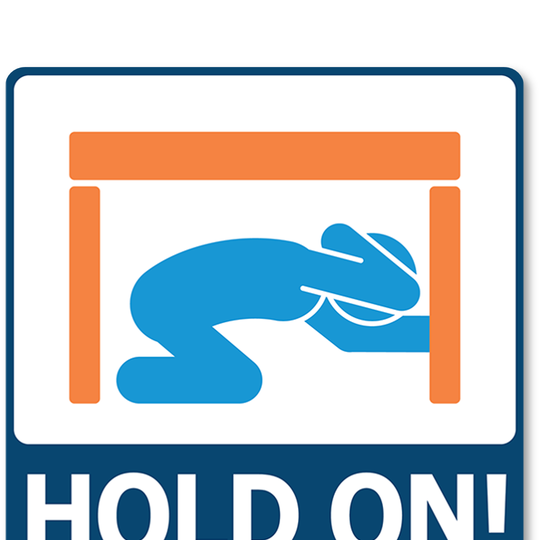
HOLD ON!
Know your nearest exit:
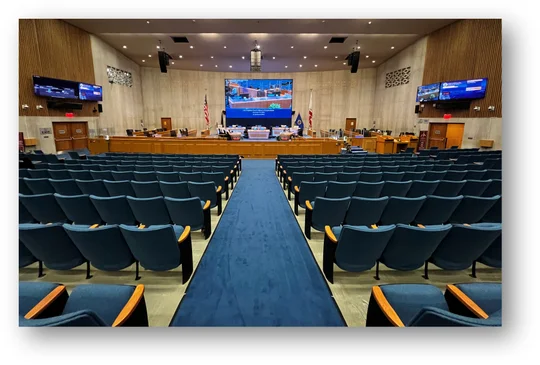
Doors to the left and right at the front of the auditorium lead to the exterior of the building in case of an emergency.
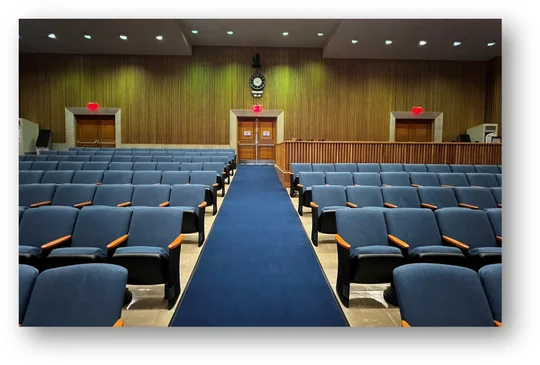
Doors in the back of the auditorium lead to the entrance lobby and to the exterior of the building.
Questions?
Please ask a staff member.
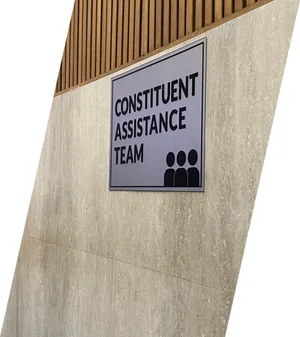
To connect with County services, visit the Constituent Assistance Team near the front of the room on the right. There are representatives from:
- Public Social Services
- L.A. Homeless Services Authority
- Mental Health
- Children Family Services
You may also call the Board of Supervisors Executive Office customer service team at (213) 974-1411.
How To Participate
In Person Participation:
- Board Meeting location:
Board Hearing Room
500 West Temple Street, Room 381-B
Los Angeles, CA 90012 - Agendas are available online here: Agenda
- Sign up to address the Board on items on the posted agenda by:
- Using the Kiosks outside and inside the Board Hearing Room
- Using a cellular phone or device and the QR codes posted outside and inside the Board Hearing Room
- When it is your turn to speak, your name will be called and displayed on the screen
Remote Participation:
To address the Board during a live Board meeting, use the below options and listen carefully to any additional instructions provided during the Board meeting.
Online System (Webex App)
Visit www.bos.lacounty.gov to register (before or during the Board meeting) and join via the Webex app on a computer or device. You will be prompted to complete a brief registration form prior to connecting to the Board meeting.
- Once connected, you will be placed in a “listening-only” queue.
- Use the “Raise Hand” feature on your computer or device to be moved into a “speaking” queue when the item(s) you wish to address is called. You will hear a “beep.” Please wait to speak until the host calls on you.
- When it's your turn to speak, you will hear your name.
- When your time expires, your line will be muted, and you will be placed in the “listening-only” queue.
NOTE: Please ensure to grant audio access (App or browser) to use the microphone. If you have technical difficulties, you may Participate by Phone to connect to the Board meeting.
For additional instructions and tips, visit our website at: Webex: How to Register and Join
Participate by Phone
To address the Board by phone, use the Telephone Number, Participant Access Code, and Meeting Password provided on the website or agenda, starting at 9:00 a.m. to connect to the Board meeting. NOTE: The Call-In information can change from meeting to meeting.
- Once connected, you will be placed in a “listening-only” queue.
- Press *3 on your phone to be moved to the “speaking” queue when the item(s) you wish to address is called. You will hear, “You have raised your hand to ask a question.” Please wait to speak until the host calls on you.
- When it is your turn to speak, you will hear “Your line is unmuted”, your area code and the first three digits of your phone number.
- When your time expires, your line will be muted, and you will be placed in the “listening-only” queue.
For additional instructions and tips, visit our website at: Remote Participation Instructions
NOTE: If you use the “Raise Hand” feature or press *3 twice, you will be removed from the “speaking” queue. If you are inadvertently removed, you may use the “Raise Hand” feature or press *3 to rejoin the “speaking” queue.
When You’re Called To Speak:
- State your name and the agenda item(s) you will address, including general public comment.
- Ensure your microphone is unmuted before speaking.
- Turn down any other device(s) before you unmute your line.
- Please stay on topic or the moderator may move to the next speaker.
- You may speak for the allotted time.
To View Only:
- Watch the Board meeting Live online HERE
- YouTube
- Rewatch the meeting on the Wednesday after the Board meeting at 11:00 p.m. on KLCS.
To Listen Only:
- Call (877) 873-8017 and enter the access code when prompted:
- For English: 111111
- For Spanish: 222222
(NOTE: Callers cannot address the Board using this number!)
To Submit Written Comments:
- To provide written comments on agenda items, use the following link: https://publiccomment.bos.lacounty.gov/
- Complete information at the top of the comment page (Note: First and Last names are required fields.)
- Choose the agenda item(s) that you wish to address.
- Select In Favor, Oppose, Other
- Optional: You may submit comments for each item separately or upload a document with all of your comments. (Attachment limit is 5 documents.)
- Select “Next”
- Verify the information is correct and select “Acknowledge” to submit.
- All comments submitted are public and viewable online.
- This page is updated at the end of each day.
To Request Accommodations or Translator:
- Requests for a translator, reasonable modification or accommodation from individuals with disabilities, consistent with the Americans with Disabilities Act, can be made by contacting the Customer Service Desk at (213) 974-1411.